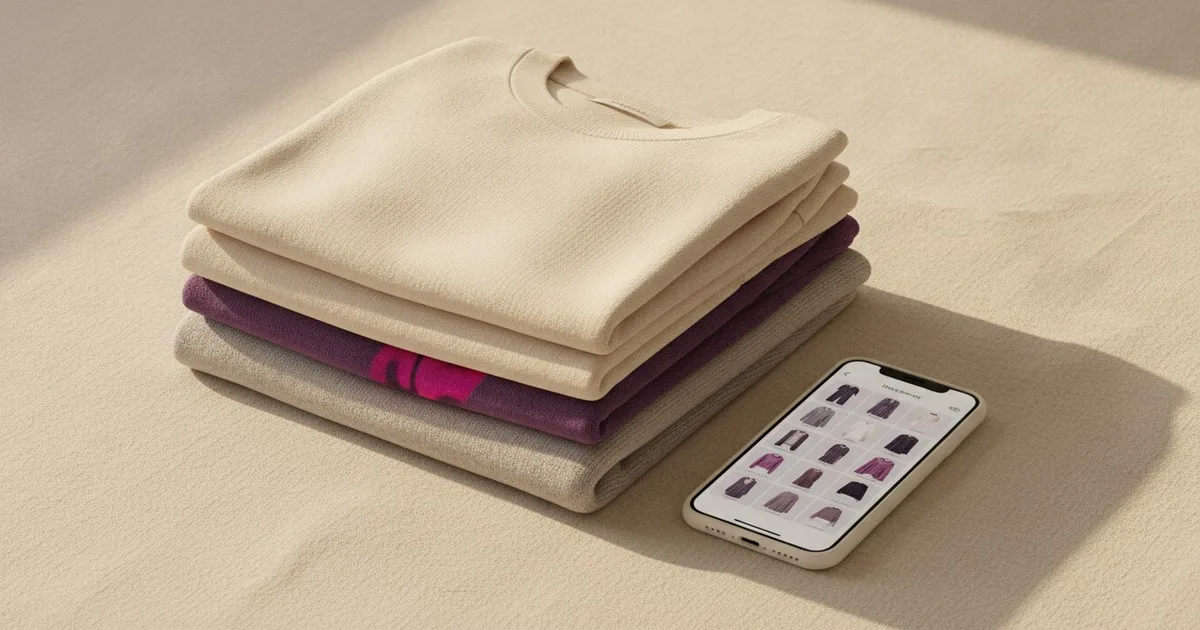
A digital wardrobe app turns the abstract idea of a capsule wardrobe into something you can actually see and act on. Instead of relying on memory or good intentions, you photograph what you own, let the app surface patterns, and make decisions based on evidence rather than feeling. The result is a smaller, more deliberate wardrobe that you actually use.
Key takeaways
- Research by WRAP found that the average UK adult keeps upwards of 118 items of clothing, with roughly a quarter unworn for at least a year.
- Cataloguing what you own before you shop is the single most effective way to avoid buying duplicates.
- A digital wardrobe app makes outfit gaps visible in a way that memory alone cannot.
- Extending the active life of a garment by even a few months meaningfully reduces its environmental footprint, according to WRAP.
- The goal is not a perfect wardrobe in one weekend; it is a living record that improves over time.
What you need before you start
- A smartphone with a working camera
- A free afternoon (or two shorter sessions across a week)
- Enough floor or bed space to lay clothes flat
- A digital wardrobe app installed and an account created (Whering is one well-known option; the steps below apply to most apps in this category)
- A notepad or notes app for observations as you go
- A willingness to be honest about what you actually wear
Good light makes a real difference. Natural daylight near a window keeps colours accurate and makes it easier to identify pieces later.
Step 1: Photograph every item you own
Take everything out of your wardrobe, drawers, and storage boxes. Lay each item flat on a neutral surface or hang it against a plain wall, then photograph it. Include shoes, bags, and outerwear, not just clothes. Most apps let you upload directly from your camera roll, so you can photograph in batches and upload later.
Expected result: A complete visual inventory of everything you own. This step is often the most surprising: many people discover multiples they had forgotten about, or items still with tags attached.
Do not edit or curate at this stage. The point is an honest record, not an aspirational one. Photograph the things you are embarrassed about too.
Step 2: Categorise and tag as you upload
As you add items to the app, assign each one a category (tops, trousers, dresses, outerwear, and so on), a colour, and any relevant tags the app offers, such as occasion, season, or fabric. This takes time upfront but makes every later step faster.
If the app offers AI-assisted tagging, let it do the first pass and then correct anything it misreads. Colour in particular can be tricky for automated tools under artificial light.
Expected result: A searchable, filterable wardrobe. You can now ask the app to show you every navy item, every workwear piece, or every garment you have not logged an outfit with.
Step 3: Run a wear-frequency audit
Most digital wardrobe apps track which items appear in logged outfits. Spend two to four weeks logging your actual outfits each morning before you leave the house. It takes under a minute once the catalogue is built.
After a few weeks, look at the data. Which items appear in nearly every outfit? Which have never been logged? The Ellen MacArthur Foundation notes that globally, customers miss out on significant value each year by discarding clothes they could continue to wear, and that some garments are estimated to be discarded after just seven to ten wears. Your app data will tell you honestly whether any of your pieces are heading in that direction.
Expected result: A clear picture of your 'real wardrobe' (the items you actually reach for) versus your 'aspirational wardrobe' (the items you keep but rarely wear).
Items you have not worn in a full seasonal cycle are worth questioning. Not every unworn piece should go, but each one deserves a conscious decision.
Step 4: Identify your colour palette and silhouette patterns
Look at your most-worn items as a group. What colours appear repeatedly? What silhouettes do you actually feel comfortable in? Most apps will surface this visually if you filter by 'most worn'.
Write down what you notice. A genuine capsule wardrobe is built around the palette and shapes that already work for you, not an idealised version of your style. If your most-worn pieces are all relaxed and monochrome, a capsule built on tailored colour-blocking will not serve you.
Expected result: A short written note (three to five sentences) describing your actual aesthetic, grounded in evidence from your own wardrobe rather than inspiration images.
Step 5: Decide what to keep, rehome, and repair
With your audit data in hand, go through the low-wear items one by one. For each, ask three questions:
- Does it fit well and feel good to wear?
- Does it work with at least three other items already in my wardrobe?
- Is there a practical reason I have not worn it (needs repair, wrong season) or an honest one (I just do not like it)?
Items that fail all three questions are candidates for rehoming, whether through resale, donation, or a clothes-swap with friends. Items that need repair are worth the investment if they pass questions one and two.
Extending the active life of clothing reduces its environmental impact significantly. Keeping a well-made piece in circulation, rather than replacing it, is one of the most straightforward things you can do.
Expected result: A wardrobe reduced to items you genuinely use or intend to use, with a small list of pieces set aside for repair or rehoming.
Step 6: Map your outfit combinations
Use the app's outfit-building feature to create combinations from your remaining pieces. Try to build at least three outfits from each 'anchor' item (a well-cut trouser, a versatile jacket, a plain-knit jumper). Note which combinations feel effortless and which feel forced.
This step often reveals that you have more to work with than you thought, and also pinpoints genuine gaps: a missing layer, a neutral shoe that would unlock several combinations, a top in a colour that bridges two clusters of pieces.
Expected result: A visual map of your working outfit combinations, and a short, specific list of genuine gaps.
Step 7: Build a considered shopping list
Your gap list from Step 6 is your shopping brief. Before adding anything to it, ask whether the gap could be filled by something you already own but have been styling differently, or by a repair or alteration.
For each item on the list, write a specific description: not just 'white shirt' but 'relaxed-fit white shirt in a fabric that does not need ironing, to wear with the navy wide-leg trousers and the cream blazer.' Specificity is what separates intentional shopping from impulse buying.
When you do shop, tools that help retailers personalise recommendations, such as the AI-driven product discovery capabilities offered by Vue.ai, are increasingly built into the shopping experience on retailer sites, which can help surface relevant options more quickly. Industry coverage from FashionUnited and others has tracked how digital wardrobe tools are attracting significant investment as consumer interest in this space grows.
Expected result: A shopping list of three to seven specific items, each with a clear purpose and a minimum of two existing pieces it needs to work with.
If an item on your list does not connect to at least two things you already own, it is not a capsule piece. It is a new problem to solve.
Step 8: Maintain the record going forward
A digital wardrobe is only useful if it stays current. Set a small habit: log your outfit each morning, and add new purchases the day they arrive. Every three months, run the wear-frequency audit again and revisit the keep-or-rehome question for anything that has slipped to zero wears.
The app becomes more useful over time, not less, because the data accumulates. After a year, you will have a genuinely reliable picture of how you dress across all seasons.
Expected result: A wardrobe record that improves with use, and a shopping habit that is slower, more deliberate, and less likely to produce regret.
Troubleshooting
The cataloguing feels overwhelming. Break it into sessions by category: tops one evening, bottoms the next. You do not need to finish in a single sitting.
The app keeps miscategorising items. Correct the tags manually as you go. The more you correct, the better the app learns your wardrobe. Accuracy matters more than speed here.
I logged outfits for two weeks but the data feels thin. Two weeks is a start, not a conclusion. Aim for a full month before drawing strong conclusions, and make sure you are logging on days when you work from home as well as days you go out.
I identified gaps but keep finding things I want to buy that are not on my list. This is normal. Keep the list visible, and give yourself a waiting period, two weeks is a reasonable default, before buying anything not on it. Many impulse gaps disappear on their own.
My wardrobe feels too small after the edit. A capsule wardrobe is not a minimal wardrobe. There is no target number. If you feel under-resourced, revisit Step 6 and look for combination possibilities you missed before adding new items.
What success looks like
After completing this process, you should be able to get dressed in the morning without hesitation, because every item in your wardrobe connects to others and suits how you actually live. Your shopping list will be short and specific. And your relationship with what you own will feel more considered, less reactive. The wardrobe does not need to be small; it needs to be intentional.
FAQ
What is a capsule wardrobe and how many items should it have? A capsule wardrobe is a curated set of clothes that work together in multiple combinations. There is no fixed number. The point is versatility and intentionality, not a specific count. Most people find somewhere between 30 and 50 items feels workable, but the right number is whatever you actually use.
Do I need to pay for a digital wardrobe app? Many apps offer a free tier that is sufficient for building and auditing a wardrobe. Paid tiers typically add features like advanced outfit analytics or unlimited storage. Start with the free version and upgrade only if you find yourself hitting its limits.
How long does it take to catalogue a full wardrobe? For a wardrobe of 80 to 120 items, expect three to five hours spread across a few sessions. The initial cataloguing is the most time-consuming part. Ongoing maintenance, once the catalogue exists, takes a minute or two a day.
Can a digital wardrobe app help me shop more sustainably? Yes, indirectly. By making visible what you already own and how often you wear it, the app makes it harder to buy impulsively. The data from your own wardrobe is a more honest guide than any trend forecast.
What should I do with clothes I decide not to keep? Resale platforms, local donation centres, clothes-swap events, and textile recycling schemes are all options. The best choice depends on the condition of the item. A well-made piece in good condition is worth reselling or swapping; worn-out items are better directed to textile recycling rather than general waste.
Further reading
- Nation's wardrobes hold 1.6 billion items of unworn clothes — WRAP
- Fashion and the circular economy — Ellen MacArthur Foundation
- Clothing waste prevention — WRAP
- Whering CEO on why Google AI and eBay are betting on digital wardrobes — Just Style